


 7 Min Read


Analytics Automation Alerts Every Google Analytics Specialist Should Use
Analytics automation alerts are how a tired Google analytics specialist keeps their sanity while GA4 screams silently in the background!
Let’s talk about the alerts every Google analytics expert should have wired up yesterday, and how a tidy crew like Remote Resource can quietly set them up while you pretend everything is under control.
Why Alerts Are the Seatbelts of GA4
GA4 is a noisy spaceship.
Traffic, events, sources, conversions, goals, campaigns…it’s all flying around at once.
Without alerts:
- You only notice a problem when revenue falls off a cliff.
- You rely on someone “checking the dashboard” (they don’t).
- You fix things late, expensively, and with great sorrow.
With smart automation alerts:
- GA4 taps you on the shoulder when something breaks.
- You spend less time refreshing reports and more time fixing what matters.
- You start to look like a GA4 expert instead of a permanent firefighter.
Remote Resource lives here: building the alert system so you only get pinged when the internet gods are actually angry.
1. Traffic Drop & Spike Alerts
The first alert is painfully obvious, which is why most people do not set it up.
Every Google analytics specialist should have:
- An alert for a sharp drop in traffic (e.g., sessions down 30–40% vs same day last week).
- An alert for a weird spike in traffic (bot swarms, spam, rogue campaigns).
Why this matters:
- Drops can mean: tracking broke, a tag got removed, a release killed a script, or SEO took a punch.
- Spikes can mean: junk traffic, misconfigured campaigns, or a nice viral moment you should ride, not ignore.
Make the thresholds reasonable. You want “wake me up” alerts, not “nudge me for every hiccup” alerts.
2. Conversion Rate Anomaly Alerts
A Google analytics expert doesn’t just stare at sessions; they stare at money.
Set up alerts when:
- Overall conversion rate falls beyond a defined threshold.
- Conversion rate for a key event or funnel suddenly changes (checkout, lead form, signup, demo request).
Helpful uses:
- Landing page redesign gone wrong?
- New payment provider?
- Over‑enthusiastic developer “simplified” the form?
You don’t want to find out in next month’s report.
Instead, you want a “hey, something’s off” alert within hours.
3. Revenue & High‑Value Event Alerts
If you sell things, your GA4 should yell when money misbehaves.
Every GA4 expert should have:
- Alert for revenue drop vs. previous period.
- Alert for average order value dropping sharply.
- Alert for high‑value events (e.g., “request quote”, “book demo”) falling or spiking.
These alerts:
- Help sales and marketing respond quickly (pause bad campaigns, push good ones).
- Turn you from a passive reporter into the “person who catches problems before they hit the CFO.”
Remote Resource often wires this into Slack / Teams so the whole team sees it, not just the (lonely) analytics person.
4. Source / Medium Mix Alerts
Traffic sources changing shape without you knowing is how budgets burn quietly in the night.
Set alerts for:
- Sudden drop in organic traffic.
- Sudden rise in direct traffic (often means tracking is broken).
- Sharp changes in paid vs organic vs referral ratios.
Why a Google Analytics specialist cares:
- A tracking issue with one campaign can hide under “direct” if you’re not watching.
- An agency can look “fine” at top‑line until you see their source suddenly shrinking.
Alerts here keep you honest. And greatly annoy lazy vendors, which is a bonus.
5. 404 & Broken Page Alerts
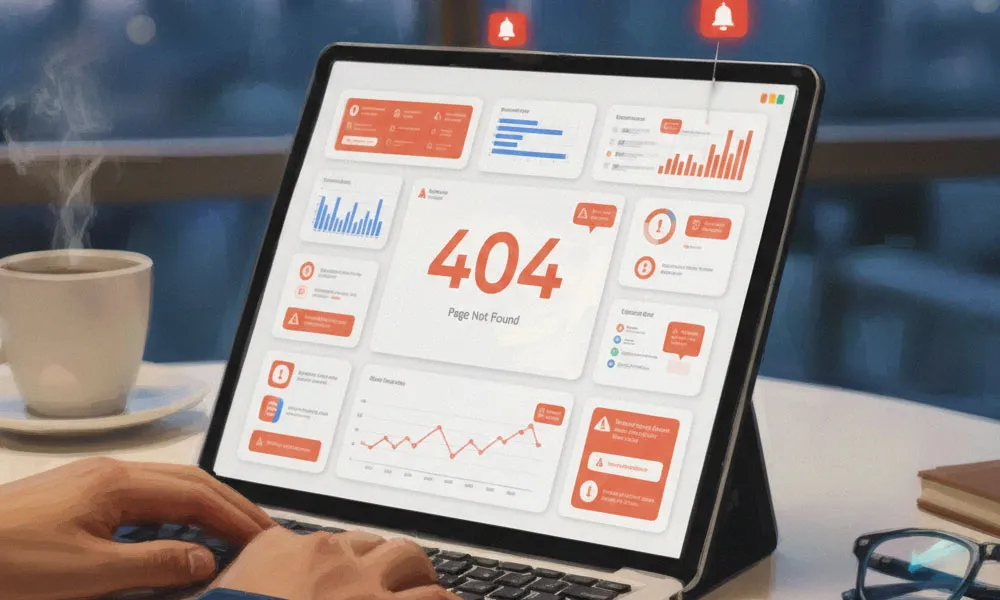
It’s not glamorous, but it’s survival.
Use GA4 events + alerts to spot:
- Spikes in 404 page views.
- Critical pages suddenly showing high exit rates + low engagement.
Why this matters:
- Site migrations, URL changes, and redesigns often leave behind broken paths.
- A Google analytics expert who catches 404 waves early saves SEO and UX pain later.
Tie this to your dev process:
Release pushed? Watch the alerts.
No alarms? You sleep.
Alarms? You send panicked screenshots in the release chat.
6. Engagement Drop Alerts (Time, Scroll, Events)
GA4 is obsessed with “engaged sessions,” and so should you be.
Set alerts for:
- Average engagement time suddenly falling on key pages.
- Important scroll‑depth or engagement events (e.g., 50% scroll, video play) dropping hard.
- Overall engaged sessions % sliding down for key content types.
Why a GA4 expert sets these:
- They reveal UX issues, bad content, slow pages, or mismatched audiences.
- They tell you when a page stopped doing its job, even if traffic is still flowing.
You might discover that your shiny new hero section is beautiful but completely useless.
7. Campaign Anomaly Alerts (UTM‑Based)
Campaigns are where your money goes to be judged.
Alerts to wire up:
- Campaigns with impressions / clicks but no conversions.
- Campaigns suddenly spiking in spend but flatlining in results (if connected via Ads / BigQuery).
- New campaign names suddenly appearing with trash performance.
A Google analytics specialist who has these gets to say:
- “Pause that ad set now.”
- “This creative is burning money.”
- “Whatever we did last Tuesday? Do more of that.”
Remote Resource loves stitching GA4 data with Google Ads + Looker Studio so these “uh oh/oh no” moments appear on autopilot.
8. Geography & Device Change Alerts
Strange geography patterns often mean strange technical or marketing issues.
Set up alerts for:
- Sudden shift in traffic by country (e.g., 40% of traffic now from a country you don’t serve).
- Device mix changing sharply (desktop vs mobile vs tablet).
Why a Google analytics expert cares:
- Bot traffic often comes in weird geographic waves.
- A mobile site bug can hide if you only ever check desktop.
- New markets might suddenly discover you, and you’ll want to know before your competitors do.
9. Event Tracking Failure Alerts
The worst alert is no alert at all.
Set alerts when:
- Critical tracking events (e.g., “purchase”, “lead_submitted”, “add_to_cart”) go to zero or near‑zero.
- GA4 starts receiving far fewer events overall than usual.
For a GA4 expert, this is oxygen.
Tags break. Developers “clean up scripts.” Consents are misconfigured.
When your events go dark:
- Your campaigns are flying blind.
- Your optimization models start to rot.
- Your boss asks, “Why does everything say 0?”
Alerts here mean you catch it on the same day, not at end‑of‑month reporting.
10. Predictive & Audience Signals Alerts
GA4 is not just a counter; it’s a mildly psychic one.
For advanced Google analytics specialists:
- Use GA4’s predictive audiences (churn risk, likely purchasers) and set alerts when their size changes dramatically.
- Monitor key retention or lifetime value segments and ping yourself when they shrink or grow fast.
This is where a GA4 expert goes from “reporting history” to “nudging the future.”
If “likely to purchase” audience drops 40%, you know something upstream is broken – or your audience is quietly slipping away.
Google Analytics trends to keep an eye on in 2026 & beyond
Let’s be honest: GA4 is still evolving like a teenager who hasn’t decided what to do with their life yet. But if you’re a Google analytics specialist trying to look at least half‑prophetic in 2026, there are a few trends you really shouldn’t ignore.
First, privacy and cookieless tracking are no longer “coming soon”; they’re here, with regulators staring over everyone’s shoulders. That means more modeled data, more sampled guesses, and a bigger role for a Google analytics expert who can explain why numbers don’t line up perfectly across tools.
User‑level certainty is shrinking; smart, event‑based stories are replacing it. You stop saying “this exact user did this” and start saying “this pattern almost certainly means our funnel leaks here.”
Second, AI‑driven insights in GA4 will get louder. Automated anomaly detection, predictive audiences, and suggested segments will keep creeping into the interface. A GA4 expert won’t just build reports; they’ll validate which “insights” are actually useful and wire them into action – campaign changes,
CRO tests, product tweaks.
And third, integration will matter more than dashboards. The best setups pipe GA4 data into warehouses, BI tools, and CRM, then send cleaned‑up insight back into ad platforms and personalization engines.
The future, one believes, isn’t one pretty GA screen; it’s GA4 as the nervous system feeding a bigger, stitched‑together analytics brain.
How Remote Resource Helps You Not Drown in Alerts
The dirty secret: too many alerts are just another kind of chaos.
This is where Remote Resource steps quietly in:
- A dedicated Google analytics expert or GA4 specialist from Remote Resource audits what you’re tracking.
- Designs a sane alert strategy:
- business‑critical alerts (few, loud)
- diagnostic alerts (more, but grouped)
- Implements GA4 alerts, Looker Studio snapshots, and email / Slack summaries.
- Regularly reviews alert logs: tune thresholds, remove noise, add new signals as your site and campaigns evolve.
You don’t need 200 alerts.
You need the right 15–20 that actually wake you up for real problems.
Ready to Get Your Analytics to Yell Only When It Matters?
If your GA4 feels like a silent witness or an over‑talkative toddler, Remote Resource can help you turn it into a calm, reliable early‑warning system…;-)
- Get a dedicated Google analytics specialist who lives inside GA4 all day.
- Work with a GA4 expert who sets up smart automation alerts, not noisy ones.
- Let a trusted partner manage your analytics hygiene while you focus on growth, not dashboards.
Reach out to Remote Resource to build your alert stack, your reporting rhythm, and your peace of mind.
